
Launching five products does not necessarily require five completely independent box designs. It also does not mean that one oversized box is a sensible home for every item. A useful packaging system sits between those extremes: it shares selected components while preserving the fit, identification and presentation each product needs.
The challenge becomes visible when a brand adds a second bottle size, a seasonal set and a new sales channel. A box that worked for the first product may need a different insert, label or opening sequence for the next one. Without a plan, small changes accumulate into a collection of components that look similar but cannot be exchanged safely.
This guide explains how buyers can organise rigid box packaging across multiple stock keeping units, or SKUs. The focus is on the rules connecting products, components and approvals, so a growing range remains manageable for purchasing, manufacturing and fulfilment.
Map The Products Before Grouping The Boxes
Start with a product matrix containing actual dimensions, weight, orientation, fragile features and accessories. Include the configuration sold to the customer, not just the main item. A fragrance bottle sold alone and the same bottle sold with a travel spray represent different packing requirements.
Record any presentation constraints. A product may need its label facing forward, its cap visible or an accessory positioned beside it. These requirements affect cavity placement and box proportions. Two products with similar outer measurements may therefore belong in different packaging families.
Add forecast quantities and expected order frequency. A high-volume permanent product and a low-volume seasonal edition can justify different approaches even when their dimensions match. Mark which data is final and which belongs to a proposed future launch, so speculative variants do not unnecessarily enlarge the entire system.
Choose What The Family Will Share
Shared elements can include the outer dimensions, box construction, wrap material, logo position or internal graphic layout. Each shared choice reduces one type of variation, but it may introduce another. A common outer shell, for example, may require several inserts and a reliable way to identify which insert belongs to which product.
Decide whether the family is defined mainly by appearance or by interchangeable parts. Boxes can look coordinated without sharing tooling or dimensions. Conversely, identical shells may carry very different artwork. State the objective clearly so suppliers do not interpret a visual reference as a demand for complete component commonality.
Set a small number of non-negotiable brand elements, then allow controlled variation where the product requires it. Consistent logo alignment, an agreed paper family and a predictable information area can make different sizes look related. The system should support product differences rather than hide them inside inefficient empty space.
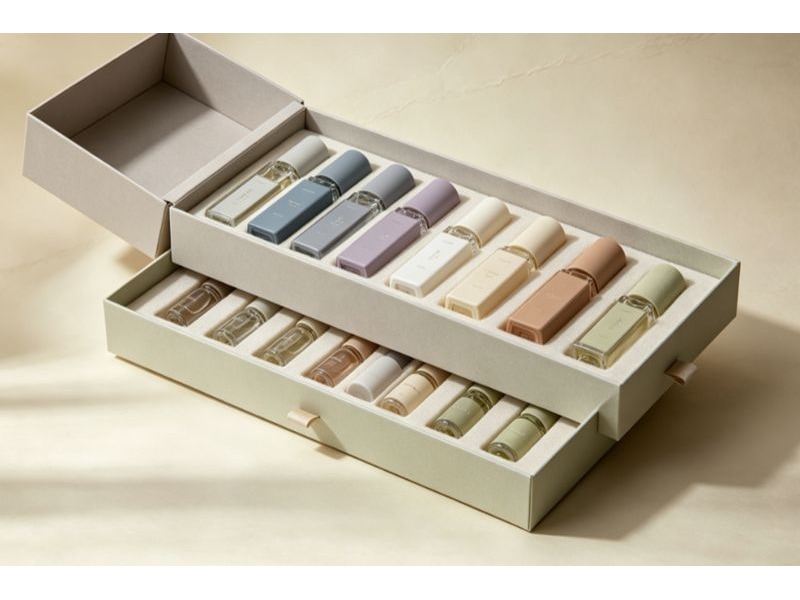
Use Size Families Instead Of One Universal Shell
Compare products by the dimensions that actually constrain the box. Height may drive a bottle range, while footprint matters more for a flat accessory collection. Grouping solely by product volume can overlook a tall cap, wide shoulder or projecting handle that makes the fit unsuitable.
Create a few candidate size families and ask the factory to assess their construction. For example, a small and a large shell might serve more effectively than six unique sizes or one universal shell. Ask the supplier to prototype those proposed groupings before assigning products to the shared sizes.
Evaluate the space left after the insert and protective allowances are included. Empty space increases the package envelope and may require additional support. Before adopting a shared shell, compare the complete packed result with a dedicated size, including presentation, outer carton utilisation and handling at the packing station.
Separate The Shell, Insert And Printed Components
Give each physical component its own reference. A finished packaging SKU is then a defined combination of parts rather than an informal description such as “the blue gift box.” This distinction matters when two visually similar sets use different cavity depths or instruction cards.
| Component | Shared Detail | Variable Detail |
| Outer shell | Structure and external dimensions | Wrap artwork or edition mark |
| Product insert | Material family and seating position | Cavity geometry and depth |
| Printed card | Card dimensions and typography | Language, product story or recipient |
| Outer carton | Packing method where suitable | Contents label and quantity |
| Finished set | Brand presentation rules | Approved combination of components |
Keep the relationship in a bill of materials or equivalent component list. When a part changes, the list should show which finished sets are affected. This allows the team to identify whether an artwork revision applies to one product or the entire range.
Test Interchangeability Rather Than Assuming It
An insert that appears to fit two shells on a drawing may behave differently after wrapping and assembly. Likewise, two bottles described as the same size may differ around the shoulder, base or cap. Physical checks are needed before parts are labelled interchangeable.
Ask for the most demanding combinations to be assessed. These may include the heaviest product, the narrowest support area or the configuration with the least clearance for removal. Include the awkward shapes and demanding fit combinations in the sample review before approving the range.
Where a component can be shared, record the approved combinations explicitly. Where it cannot, make the difference easy to identify. Consult the supplier about suitable custom perfume rigid boxes when planning bottle families, and provide actual product samples for fit assessment.
Build Identification Into The Packing Workflow
The person packing a gift should be able to select the correct parts without interpreting the marketing design. Use clear component references on the working documents and appropriate identification on outer cartons or agreed concealed locations. A colour cue can help, but it should not be the only distinction between nearly identical items.
Prepare a packing sheet showing the shell, insert, card and product for each finished set. Include an image or simple layout where it resolves ambiguity. Make sure the reference on that sheet matches the supplier’s carton labels and your stock records.
Consider the consequences of a wrong combination. An incorrect card may confuse the customer; an incorrect cavity may allow movement or make removal difficult. Give the highest-risk mix-ups the clearest checks. A brief trial with someone unfamiliar with the project often exposes unclear labels better than another review by the original designer.
Make Artwork Variation Deliberate
Create a master layout defining logo position, required clear areas and the location of variable information. Then make a separate approved artwork file for each variant. Do not rely on a verbal instruction to change a scent name or swap one colour while leaving everything else untouched.
Maintain a matrix linking each artwork revision to its structural template and component reference. Similar file names are not enough to prevent a small-box design being used on the larger template. Include a visible viewing proof in the approval package so reviewers can compare the family side by side.
Distinguish shared graphics from variable copy. When the brand updates its logo, the change may affect all members. When one product changes its description, only selected files should move to a new revision. This separation reduces unnecessary work and makes the scope of each approval easier to understand.
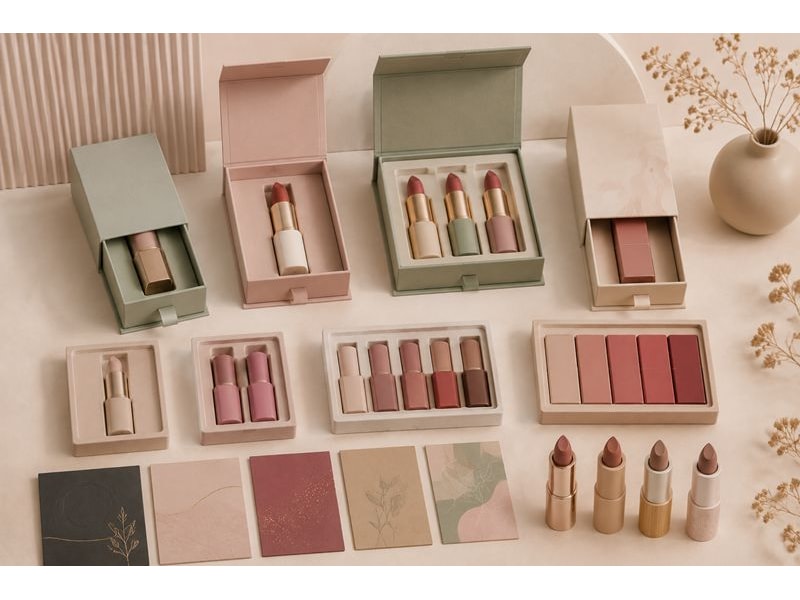
Compare Costs At The System Level
A shared shell may reduce the number of structures being managed, but it does not guarantee the lowest total cost. Additional inserts, larger transport volume, unused stock or slower picking can offset an apparent saving. Request quotations that identify the assumptions behind each option.
Compare at least the likely order quantity by variant, tooling or setup charges, component storage needs and the cost of a repeat order. Ask how the supplier treats mixed artwork within a total quantity. A combined forecast does not automatically mean that every variant qualifies for the same production economics.
Also consider obsolescence. Generic components may remain usable when a seasonal message changes, while fully decorated seasonal boxes may not. This is a reason to evaluate where variable content belongs, not a guarantee that a generic shell is always preferable. The customer experience and necessary product information still matter.
Qualify The Family With A Coverage Plan
Write a sample plan showing which combinations will be physically reviewed and why. Cover each structural size, each unique insert and any finish that behaves differently. For combinations not sampled in full, state the evidence supporting the shared design and the remaining uncertainty.
Check the full packing and opening sequence. Confirm that the product seats correctly, any card has its intended location and the customer can remove the contents without improvised tools. If a card rests over the insert, assess whether it obscures the product or creates interference with the lid.
Do not extend an approval beyond what was actually examined. A successful sample of a cosmetic rigid box for one lipstick configuration does not automatically qualify a new assortment. Use the earlier work as a starting point and target the checks to the changed features.
Control Revisions And Remaining Stock
When a component changes, decide how old and new stock will be handled before placing the replacement order. Some revisions are cosmetic and can coexist; others alter fit or information and should not be mixed. Record the approved transition for each affected finished set.
Avoid silently replacing a part number with a revised component while keeping the old packing instructions. The warehouse needs a clear signal that the combination has changed. Identify the first order or batch using the new revision and retain the previous approval record for traceability.
For repeat orders, ask whether paper, insert material or manufacturing details have changed. A stable outer appearance can conceal a meaningful component substitution. Establish which changes require buyer approval and which need a new fit or appearance check, then include that agreement in the project documentation.
Leave Room For The Next Product
Discuss likely future products while defining the system, but separate confirmed needs from possibilities. It may be sensible to reserve an information area or maintain a common visual grid. Enlarging every box to accommodate a product that may never launch can be a much more expensive form of flexibility.
Keep a short design rule sheet explaining how a new SKU joins the range. It should state the available shell families, brand layout rules, component naming approach and required approval checks. A new product can then be assessed against known criteria instead of starting an unrelated packaging project.
Review the system periodically using actual usage. Identify parts that are frequently confused, components with excess stock and sizes that serve only one low-volume item. Those observations provide a practical basis for simplification at the next planned revision, without disrupting current orders unnecessarily.
Prepare A Range Brief For Your Supplier
Send a product matrix, annual and initial quantities, representative products, presentation references and the proposed component families. Explain which elements you want to share and which may vary. Include the packing location and any identification requirements that the receiving team must follow.
Ask for feedback on common shells, insert differences and the sample coverage needed to confirm the proposal. Use the Seven Rainbow enquiry page to discuss the range as one coordinated project. Request a response that identifies the suggested families and their exceptions, so the eventual order can be built from clear, approved combinations.